Creating my first Audiobook – Selling Fine Art Online
Back in 2023, I wrote my second eBook about Selling your Fine Art Photography Online. The critical word there was online, as I wanted to explore and explain the differences I saw between selling in a gallery and via online portfolios. The book is mainly text, with just a few charts and illustrations, and so I decided to make this one into my first Audiobook as it is perhaps perfect for listening to on a car journey, for instance.
Incidentally, the eBook is still available on Amazon and also on my site here.
You can listen to the introduction chapter to the Selling Fine Art Photography book here:
I have added the full audiobook (which lasts around 2 hours) to my site here and it will be on the Amazon site in the Audible collection soon.
How to create your Audiobook with ElevenLabs
I’m adding my learning lessons about working on this first Audiobook on this blog in case anyone wants to follow in my footsteps. And, to be honest, it will help me remember all the steps I took when I come round to creating another book in the future!
I started by creating my own Professional Voice with about 45 minutes of high-quality audio narration, the background to which can be found here. You don’t need to create your own voice – there are many professional voices of all types already available for you to use on ElevenLabs. That link is my affiliate link to the ElevenLabs site if you don’t mind using it. The package I am on is the Creators package – $11 for the first month and then $22 a month after that. The number of generation credits that are applied to your account each month is about enough to create 2 hours of audio and the good news is that the credits don’t expire each month – they roll over. As you will read below, I actually did two complete generations of the book which used about 200,000 credits or two months’ worth. That wasn’t really necessary as I learned!
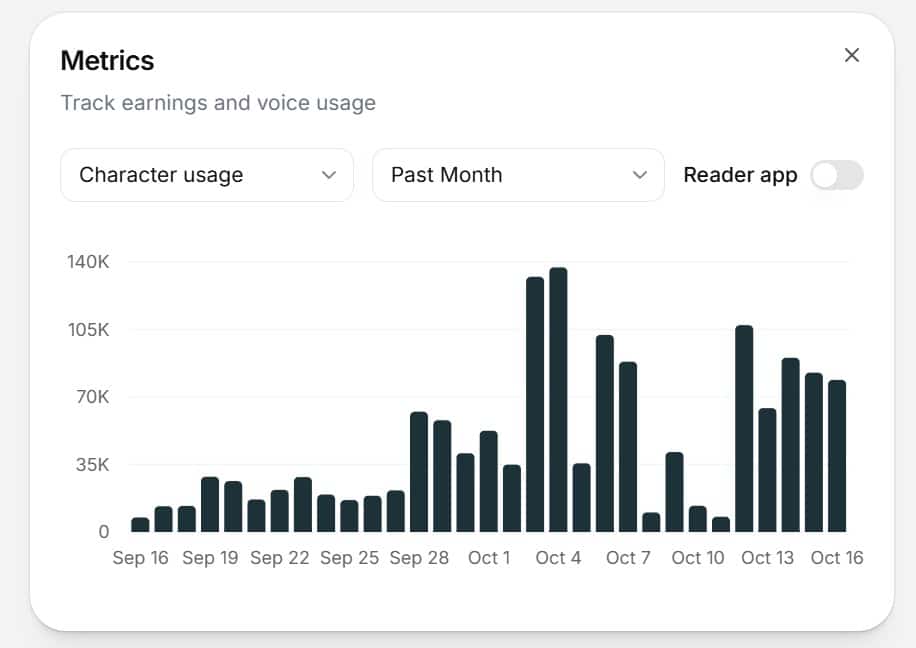
I also license my voice for others to use, and it has been online for about a month now. I’ve had 1400 users in that time, have been translated into six other languages, and have earned $22 in royalties. So, I guess it is breaking even so far!
Tuning your voice
The biggest learning lesson for me, is that you need to spend time getting your voice just right for the application you have in mind. There are settings for the voice that you can modify:
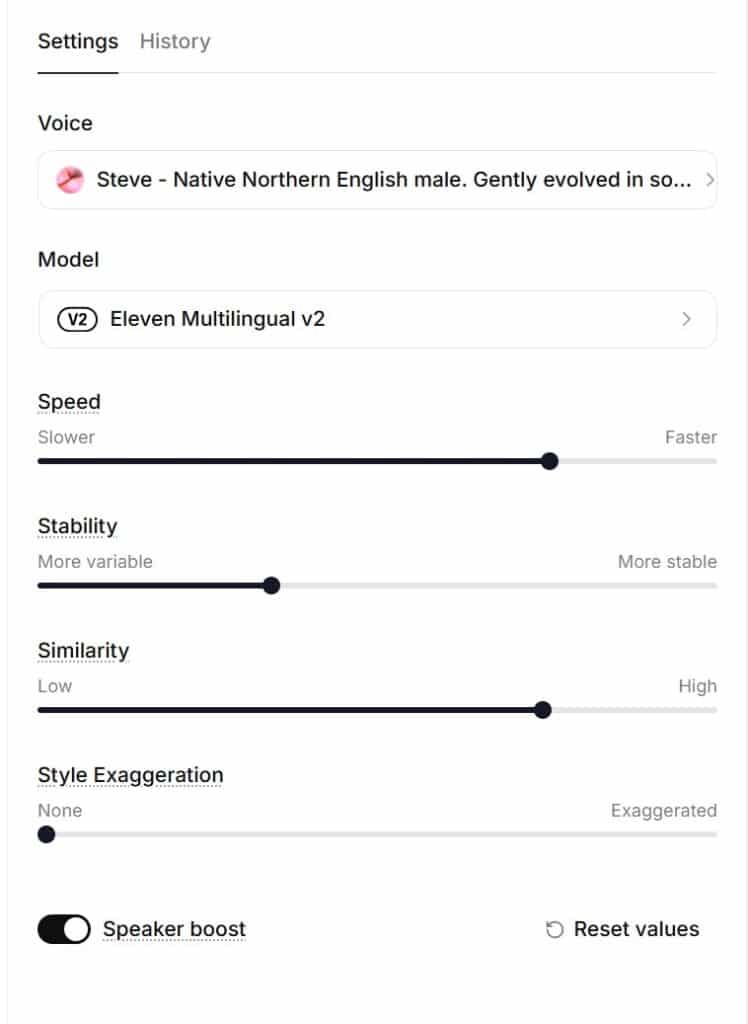
The easiest way to do this is in the Text to Speech area of the site where you can type some text that mirrors what you are planning to record (or is just a smaller section of it) and get your voice to read the text. For some reason, I thought my speech was a little slow when I was creating my first YouTube videos with it and so I changed the speed setting to 1.08, or 8% faster than my initial audio recording. For videos, where something is happening on the screen and you are concentrating on watching it, that all seemed fine to me. Changing the speed doesn’t alter the tone or make you sound like a chipmunk – the words are just pronounced more quickly.
Stability makes the voice more consistent between generations of the audio but can make the overall recording a little monotone if it is too consistent. I had set this down to 30% which is about as variable as you can get. This actually caused me quite a few issues as I will explain.
High similarity makes the generated voice more closely resemble the original audio I provided. It also increases the clarity of the voice. I had this set to 70%.
Style exaggeration creates a more exaggerated style of speaking. It is at 0 by default but perhaps I should explore that some more.
So basically, you can make your voice record your example text until you are happy with the results for that style of output.
Using Studio for your Audiobook
The ElevenLabs website has a great feature in their Studio app to create your audiobook. My Word document that had been used to create the eBook was properly formatted with the chapter headings marked in Word as Headings, and importing this document into Studio automatically created sections for each chapter. Their editor allows you to create headings if they are not already in place and so you can mark sub-headings for instance, and the voice will recognize those and pronounce them appropriately. You can then work chapter by chapter through the book and export the audio files by chapter if required. You can also use different voices if needed for different paragraphs – I had one paragraph that was a ChatGPT response and I wanted to make sure the reader understood that, so I used a different English speaker for it.
Mistake 1
I had the speed at the level that had suited my early videos, and so I went through chapter by chapter of the book not fully listening to it. I had modified the text to remove references to charts that no longer existed, and I thought it read well. I didn’t want to sit and listen to 2 hours of recordings and so after listening to some of it, I decided to generate the whole thing and listen on my audio system at home as I was doing other things around the home. 100,000 credits later, I was able to download the completed audio as a full-length WAV file, as a series of WAV files for each chapter and then the same thing as MP3 files. You need MP3 files per chapter to upload to Audible.
As I was listening at home, I began to hear paragraphs that didn’t sound very understandable. They made sense when you read the words, but it was hard to really understand what it meant as audio. We can understand written text on a page because we quickly scan it and can put our own punctuation in, if necessary, to get the meaning. With an audio version, the spaces between clauses in a paragraph and the way the voice maybe drops in volume towards the end of a sentence are already recorded and so the meaning can be harder to determine. I also found that some sections were just too fast and I tended to drift off a bit and missed what the section was all about. That choice of a faster delivery that worked for a video was not really appropriate for an audiobook, I decided.
My planned solution was to slow down the voice (to 1.02 I decided), change the text in a few areas where the construction of the sentences was too complex, and also change the spelling of words that it struggled to pronounce. Pictorem (the Montreal printing company) gave the system a lot of issues with pronunciations like Pic Tor Em when I think it is “Pic tor um”. To be honest, I don’t know what the proper pronunciation is, but I didn’t like the way the system was handling it. There is a way to create a dictionary of unknown words, but I don’t think that works yet with their latest voice models.
I also thought that there was not enough of a pause between chapters. I could have fixed that my using an audio editor on my PC, but I found you can add:
< break time: “1.5s”/> into the text and generate the amount of silence that you specify. Makes a big difference to how it sounded.
I did find another tip online that I didn’t actually use, but ElevenLabs suggest that you can write an emotion into the sentence such as “You must be joking”, he said laughing. This will make the voice read the first bit taking the emotion into account. You can then easily crop out the instruction in an audio editor, and you are left with the emotion you are looking for. Because there is absolute silence between words and sentences with no background noise, it is easy to make little cuts in the final output without it being noticeable.
Mistake 2
After the few changes that I made to the text and the voice, including slowing down the delivery, I thought that all I needed to do was to regenerate the whole things and it could be published. I was trying to avoid listening to 2 hours of myself reading the same book! So, I spent another 100,000 credits and downloaded the results, forwarding to an audio engineer friend of mine to see what he thought. Being an engineer, he looked at the waveform of the book and instantly highlighted that there was one paragraph which was louder and sounded like I was shouting! Yes, when I looked at it that way, I could hear the change in tone, which was just not appropriate to the text. My understanding that I could just change the speed and get the same tone and delivery as I had before was clearly wrong! When you regenerate some text, everything can potentially change. The speed certainly did, but so did the way that certain paragraphs and words were generated. My idea that it was a simple as changing one parameter and everything else would be the same was clearly wrong.
I tried for a while to correct things in an audio editor, changing the volume for instance, but I realized this was not going to work. I tried listening to it on that editor with a faster speed, but that didn’t really let me hear nuances in the speech. Basically, I wasted a lot of time trying to avoid listening to the whole thing!
The Solution
I realized that there was a key feature I had missed. In the Studio app, you can select a paragraph and regenerate it twice at no cost. When you highlight Regenerate, it shows how many free regenerations you have for that paragraph. If you change something – like edit the text, then it does require credits, but if you don’t like the way a paragraph is spoken (too loud or angry sounding), you can regenerate it and it is usually much better on the second attempt. There really is no alternative to sitting and listening carefully to the generated audio and changing the text a little if it isn’t clear what you were trying to say (which costs credits but only for that one paragraph), or regenerating for free if you want to change the way it is sounding.
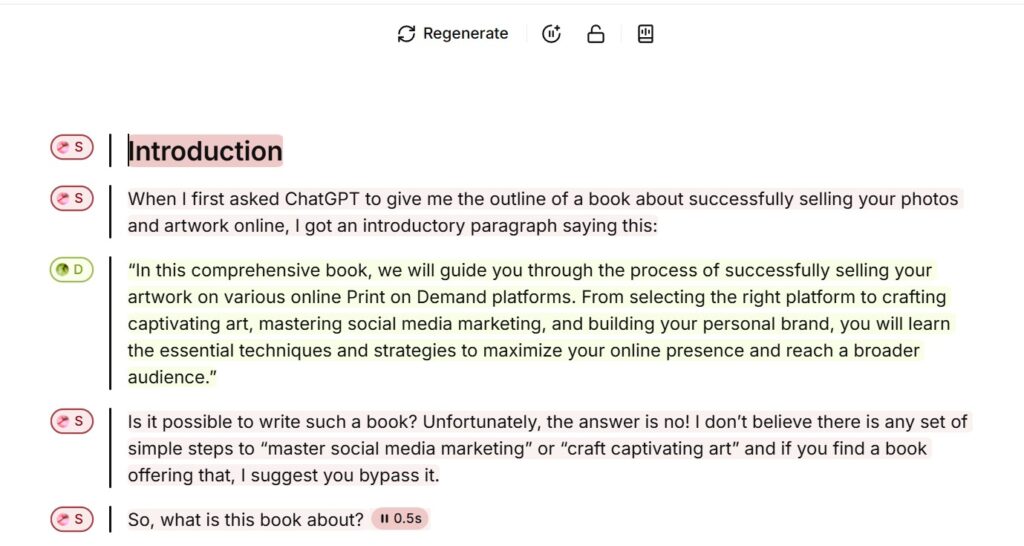
As a result of learning this, I just had to take the time to listen to the entire book in the app, changing a few paragraphs here and there and then exporting and downloading the audio files in their final, pristine form.
I still think my voice could do with some more changes to those settings and I have asked the support team for help in suggesting how I could change things, but for now, I’m considering this audiobook as being finished and I will investigate ways to sell it.
If I learn anything new, I will add to this post.